01
Collect without organising first
Drop images, video and screenshots onto an infinite board. Start messy; give the project structure only when the pattern begins to appear.
Drop in images, video, screenshots and links. Move them around until you can see what belongs together. Pull the strongest references into Focus, build a storyboard, or share the board as it stands.
Windows · Free to use · No account · Your work stays local
Bring in an image, a video, a screenshot or a link. Put it where it helps you compare things.
Play footage where you are working, stop on a useful moment, and save that frame to the board.
Write down what you noticed next to the reference, so you do not have to remember it later.
When order and timing matter, arrange the references you already collected into panels without rebuilding the project somewhere else.
Select references on the Dump Board and press Ctrl B. Each one lands at the end of the sequence.
Choose 16:9, 2.39:1, 9:16 or another project ratio. Every panel follows it while each image stays repositionable inside.
Add an action, camera move and duration to each panel. The running time adds up in the header.
Four connected spaces carry the project from collection to direction, sequence and export.
Drop images, video and screenshots onto an infinite board. Start messy; give the project structure only when the pattern begins to appear.
Move the strongest references into named zones — colour, type, material, motion, composition, or whatever the project needs.
When order matters, send references into Storyboard. Each panel can carry an action, camera move and duration.
Export a PNG or PDF, light or dark — the board as it stands, or a process brief with your notes and comments.
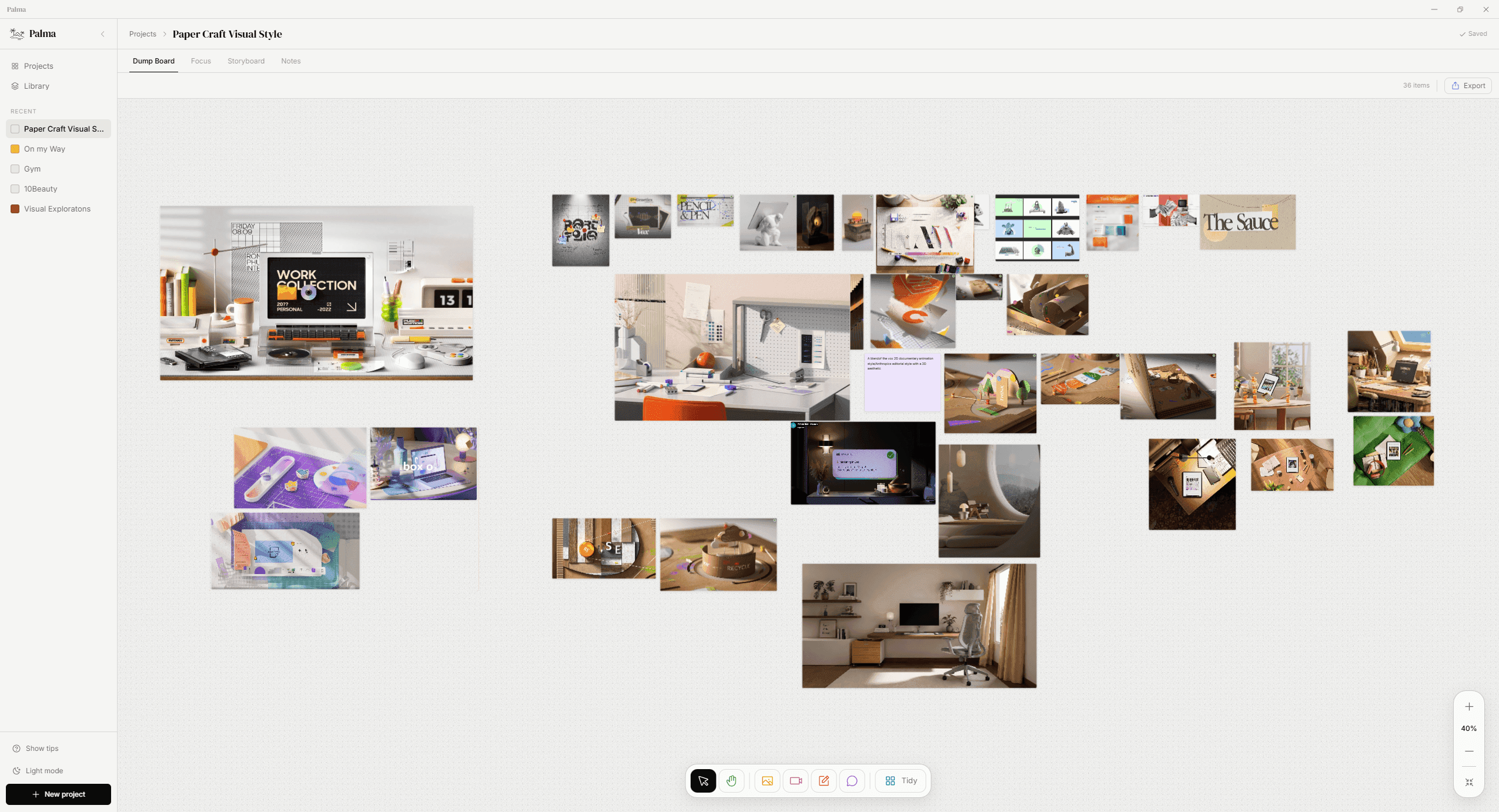
Images, video, screenshots and notes can coexist while the project is still finding its shape. These details come from the real board above.
A card keeps the image behind it rather than shrinking it into a disposable thumbnail. Zoom in and the detail is still there.
Thirty-six items at 40% zoom are still readable. The surface grows with the project instead of forcing an organisation system too early.
Write beside the reference that prompted the thought. The note moves, resizes and exports with the rest of the board.
You should be able to open a tool, do the work, and know where it went.
Canvas saves projects in a folder you choose. PalmaNote keeps your writing in a local library file, or in this browser when you use the web app.
Open either app and begin. There is no login to get through before you can put something down.
There is no subscription and no paid tier to unlock the useful parts. I built these tools for my own work and keep them small on purpose.
I'm a designer too. These apps change when a real project shows me where the friction is.
A few recent improvements to Palma Canvas.
Reset size now restores every selected reference in one action.
Resize a selection together while keeping each item’s proportions and spacing in step.
Note text stays easier to read when you zoom out on the canvas.
The Library mounts only the references near your current scroll position, keeping large collections responsive.
Free to use · No account · No subscription · Your work stays local